Gift Cards
Use your AtGames gift card to purchase games and applications on AppStoreX™.
Overview
AtGames gift cards can be redeemed toward any game or application available on AppStoreX™.
Check Your Gift Card Balance
Open the gift card link in the email you received to view its remaining balance on the AtGames website. Keep this email so you can return to the balance page whenever needed.
How to Use Your Gift Card
To use a gift card directly on your device, you need the Legends Access App. It is currently the only way to apply a gift card toward AppStoreX™ purchases from the device.
Use gift cards from your Legends device
Legends Access lets you apply an AppStoreX™ gift card during checkout and check its available balance from a separate menu. Learn more about Legends Access App.
At checkout inside the Legends Access App, enter your gift card code in the provided field. The balance is applied to your order total before charging your credit card. If the gift card covers the full amount, no credit card is required.
You can also open the Gift Card Balance menu in AppStoreX™ to check the available balance from Legends Access App.
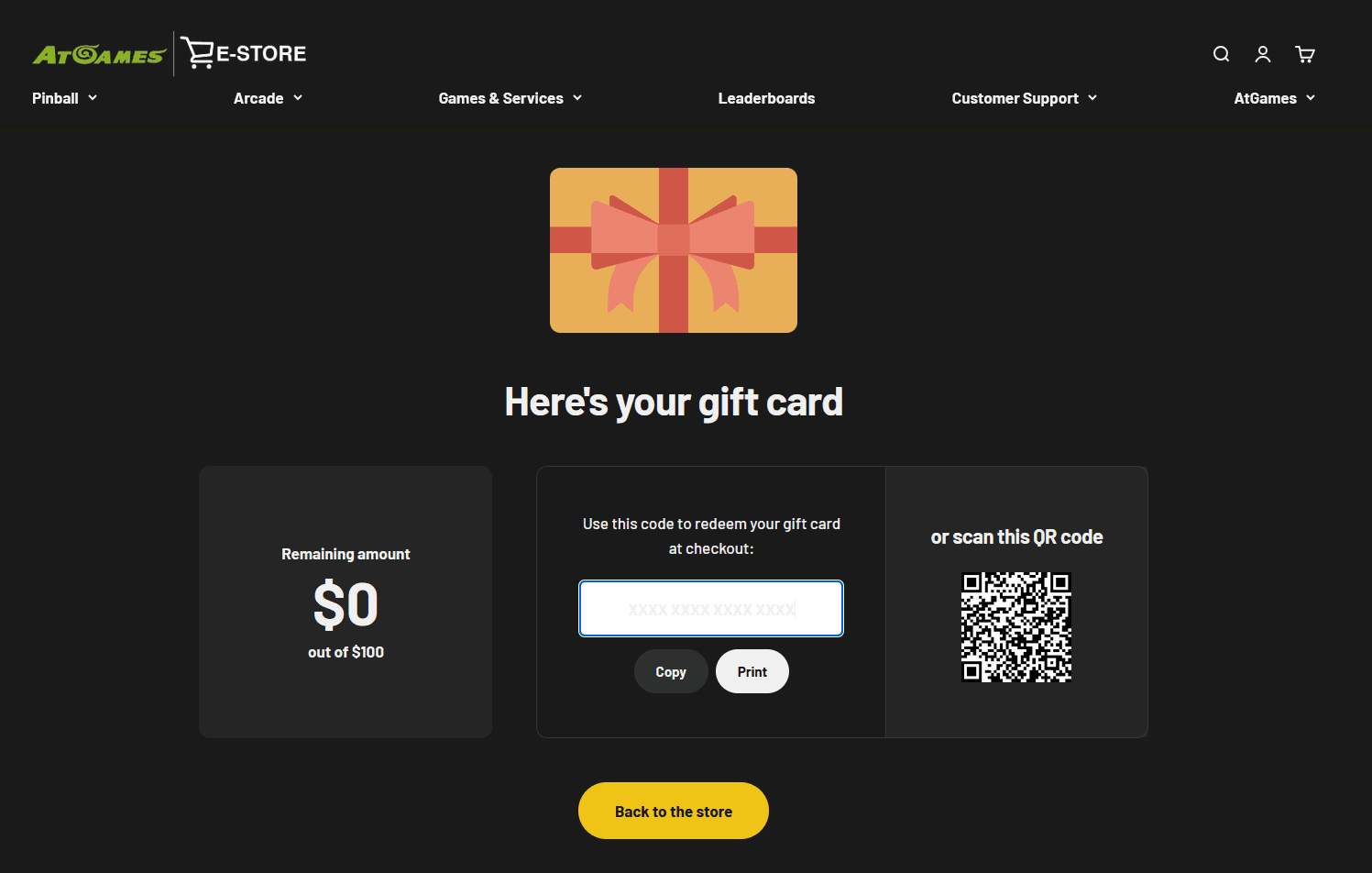
Follow the link in your gift card email to check the remaining balance.
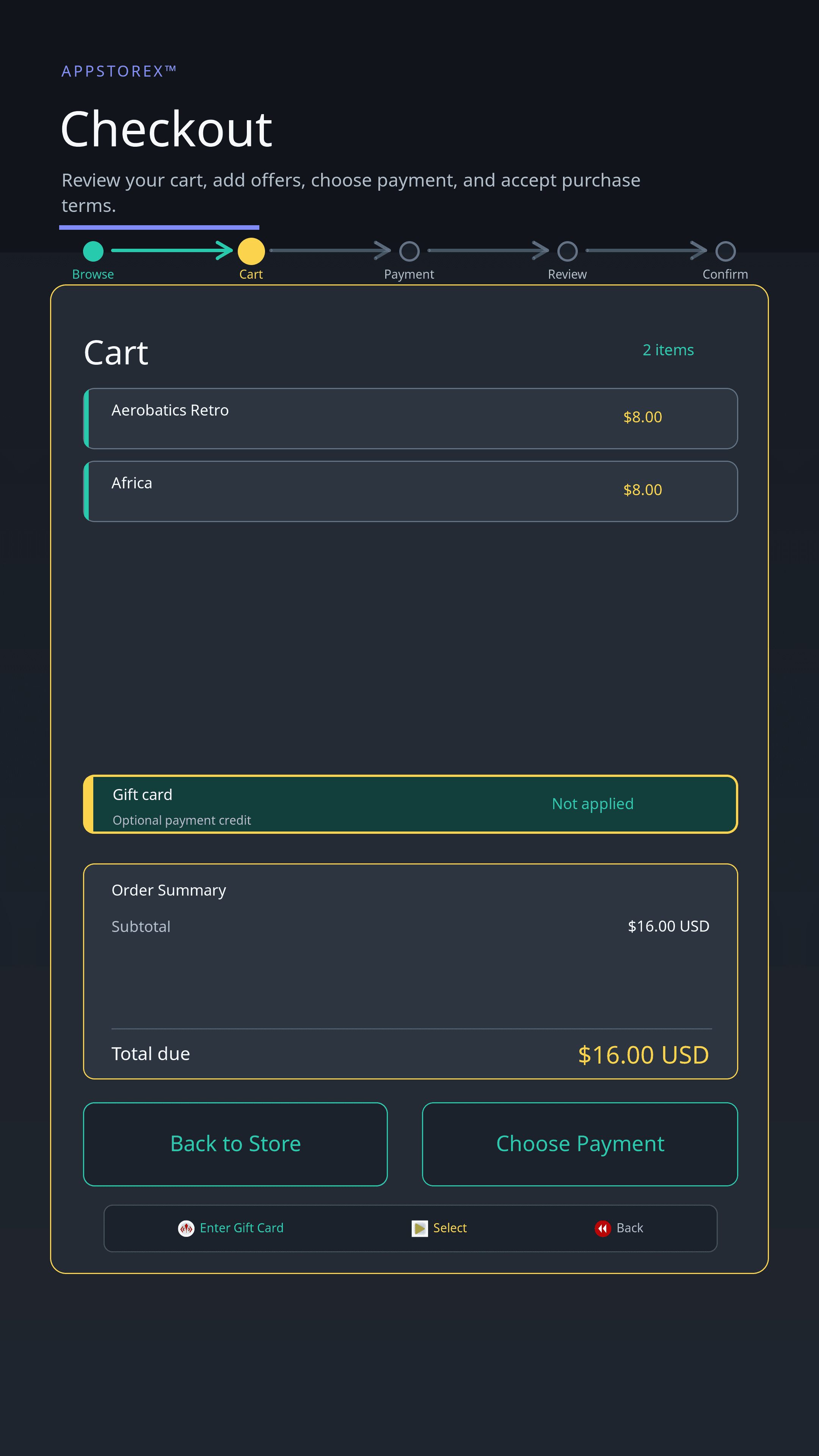
Apply a gift card from the Legends Access App checkout.
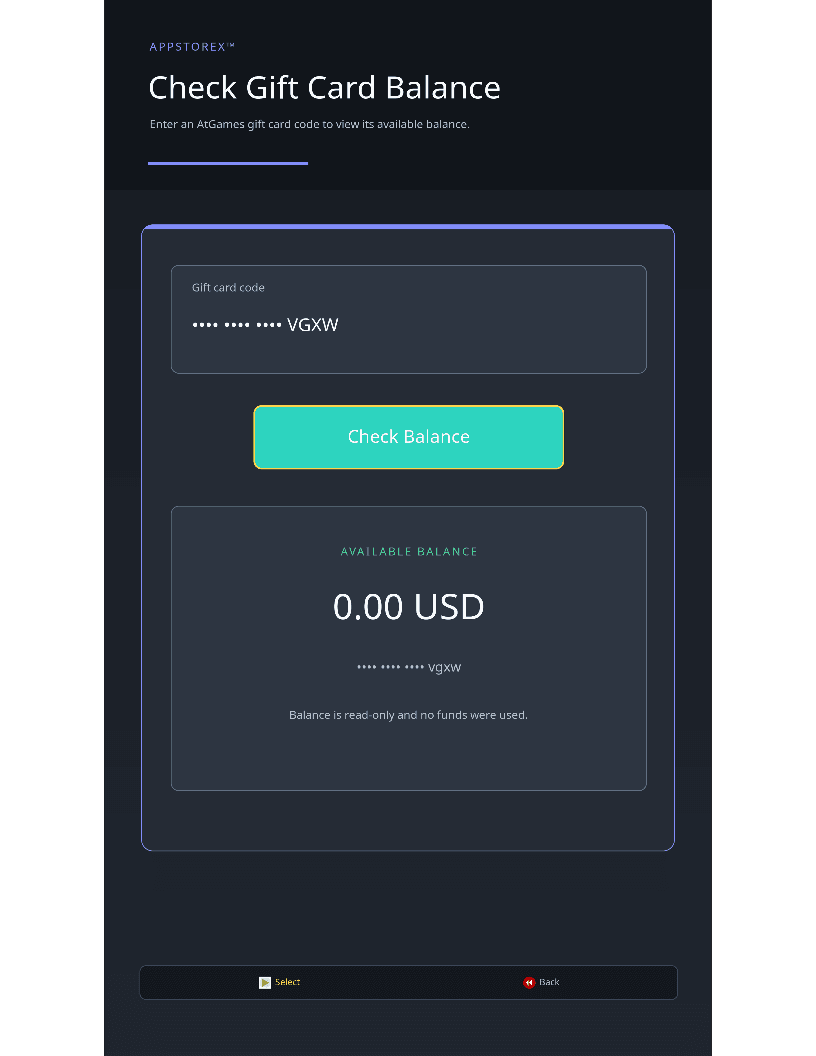
Check the available balance from the Gift Card Balance menu in AppStoreX™.
Gift cards remain valid and redeemable on the AtGames e-store as usual.